
Framer has become a favorite design tool for SaaS teams that want speed, animation, and visual clarity. However, when traffic increases and content expands, many teams move toward Framer to HTML for WordPress & CMS platforms to gain flexibility, performance, and long-term control.
This article explains how Framer to HTML conversion works for WordPress and CMS-driven SaaS websites, why manual coding outperforms automated exports, and how XHTMLTEAM delivers scalable, SEO-focused builds from Framer designs.
Why SaaS Teams Design in Framer but Build on WordPress
SaaS companies often design marketing pages in Framer for speed and creativity, then convert them into HTML-based WordPress or CMS platforms. This approach keeps design quality intact while unlocking advanced SEO, content management, and performance optimization.
Framer is widely used for:
- Product marketing websites
- SaaS landing pages
- Early-stage brand launches
WordPress and CMS platforms are preferred when:
- Content volume grows
- SEO traffic becomes a priority
- Marketing teams need publishing freedom
This split workflow has become a standard Framer to WordPress strategy in 2026.
What Framer Actually Produces Behind the Scenes
Framer outputs visually accurate layouts, but the underlying code is generated for rendering, not maintainability. Understanding how Framer structures HTML and CSS explains why professional teams rebuild designs manually instead of relying on exported files.
Framer focuses on:
- Visual composition
- Animation timelines
- Responsive previews
The generated output usually includes:
- Deep
<div>nesting - Inline styles
- Script-driven layout behavior
This structure is not ideal for SEO-focused WordPress themes or long-term SaaS scaling.
Why Framer HTML Export Is Not Production-Ready
Framer’s export option is useful for previews and experiments, but it lacks the structure required for real-world CMS integration. SaaS websites need readable, modular code that developers and marketers can maintain without platform limitations.
Common issues with exported Framer code:
- Non-semantic HTML
- Difficult class naming
- Heavy runtime dependencies
- Limited control over optimization
For this reason, professional teams treat Framer as a design source, not a final codebase.
Framer to HTML: The Foundation for WordPress & CMS
Converting Framer designs into clean HTML creates a neutral, platform-ready foundation. This HTML can then be connected to WordPress, headless CMS platforms, or custom backends without rewriting frontend logic again.
Benefits of a clean HTML layer:
- Platform independence
- Faster loading pages
- SEO-friendly structure
- Easier CMS integration
This is the core of Framer to HTML for WordPress workflows.
XHTMLTEAM’s Framer to HTML Conversion Method
XHTMLTEAM follows a manual, code-first approach to Framer conversion. Instead of modifying exported files, designs are rebuilt using semantic HTML and structured CSS, ensuring the final WordPress or CMS site remains fast, scalable, and easy to maintain.
Step 1: Framer Design Review
We study:
- Layout hierarchy
- Spacing systems
- Typography scales
- Responsive behavior
This prevents structural issues later during WordPress integration.
Step 2: Semantic HTML Architecture
Semantic HTML provides clarity for search engines, accessibility tools, and developers. XHTMLTEAM builds every section using meaningful tags that align with SEO and CMS template requirements.
We implement:
<header>,<main>,<section>,<article>,<footer>- Proper heading order
- Logical content grouping
Step 3: CSS Built for CMS Flexibility
SaaS websites change often. CSS must support new sections, content blocks, and variations without rewriting styles. XHTMLTEAM uses modular CSS approaches that keep layouts stable as content grows.
Approaches include:
- BEM-style naming
- Utility-based CSS (on request)
- Mobile-first responsiveness
From HTML to WordPress: How Integration Works
Once clean HTML is ready, XHTMLTEAM converts it into a custom WordPress theme. This ensures marketing teams can manage content independently while the frontend stays visually consistent with the original Framer design.
WordPress Theme Structure
We convert HTML into:
- Header and footer templates
- Page templates
- Blog and archive layouts
- Reusable components
No page builders are required.
Dynamic Content Mapping
Static HTML sections are connected to WordPress fields so content updates do not break layouts. This is especially useful for SaaS blogs, feature pages, and case studies.
Common integrations:
- Gutenberg blocks
- ACF-based layouts
- Dynamic menus and footers
Framer to HTML for SaaS Landing Pages
SaaS landing pages often demand fast load times and precise messaging. XHTMLTEAM converts Framer landing pages into HTML-first WordPress templates that support marketing experiments without sacrificing performance or SEO structure.
Typical outcomes:
- Faster page speed
- Better Core Web Vitals
- Reusable campaign templates
SEO Advantages of HTML-Based WordPress Builds
HTML-first WordPress themes give SEO teams stronger control over structure, metadata, and internal linking. This approach supports content-led growth strategies commonly used by SaaS companies.
Key SEO benefits:
- Clean heading hierarchy
- Better crawl efficiency
- Schema-ready markup
- Lightweight DOM structure
Performance Comparison: Framer vs HTML WordPress
Performance differences become visible as traffic scales. HTML-based WordPress sites consistently load faster than hosted builder pages, especially on mobile devices.
| Metric | Framer Site | HTML + WordPress |
|---|---|---|
| Initial Load | Medium | Fast |
| JS Dependency | High | Low |
| SEO Control | Limited | Full |
| CMS Flexibility | Low | High |
XHTMLTEAM vs Typical Conversion Agencies
Not all Framer conversion services follow the same standards. Many agencies rely on exported code or page builders, which creates long-term maintenance issues. XHTMLTEAM focuses on clean architecture and CMS-ready development.
| Feature | XHTMLTEAM | Typical Agency |
|---|---|---|
| Manual HTML Coding | Yes | Partial |
| Uses Framer Export | No | Often |
| WordPress Best Practices | Strong | Inconsistent |
| SaaS Scalability | High | Medium |
Real-World SaaS Use Cases
SaaS companies approach XHTMLTEAM with varied requirements, but the underlying Framer to HTML workflow remains consistent and adaptable.
Common scenarios:
- Framer homepage → WordPress theme
- Framer blog design → CMS-driven blog
- Framer marketing site → SEO-focused platform
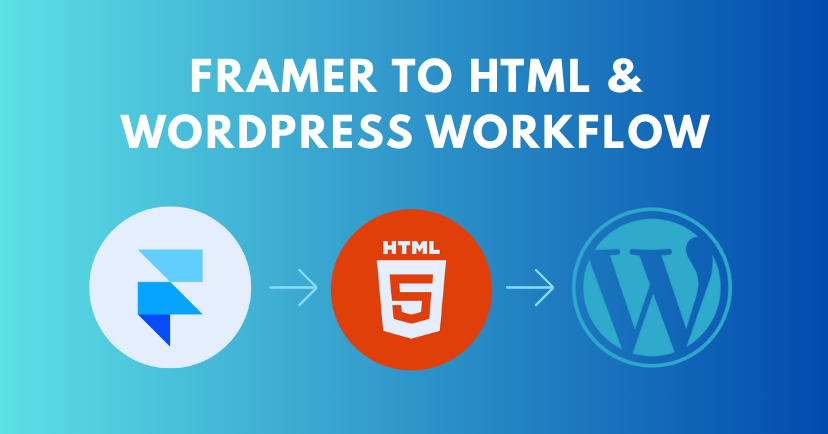
Framer to HTML for Headless CMS Platforms
Clean HTML also works seamlessly with headless CMS platforms. XHTMLTEAM prepares frontend code that can be connected to APIs without layout changes, making it ideal for SaaS products with custom dashboards or multi-platform needs.
Supported CMS setups:
- Headless WordPress
- Custom CMS
- API-driven content systems
Common Questions from SaaS Teams
Can animations from Framer be recreated in HTML?
Yes. XHTMLTEAM recreates animations using CSS and JavaScript alternatives that perform well inside WordPress and CMS platforms.
Will the WordPress site look identical to Framer?
Yes. Manual coding ensures pixel-level accuracy while improving performance and maintainability.
Is this approach suitable for long-term SEO growth?
HTML-based WordPress themes provide stronger SEO foundations than visual builders, making them suitable for content-driven SaaS strategies.
Final Thoughts
Framer is an excellent design environment, but WordPress and CMS platforms offer the flexibility SaaS companies need to scale content, SEO, and performance. Converting Framer designs into clean HTML bridges that gap effectively.
With Framer to HTML for WordPress conversion by XHTMLTEAM, SaaS teams keep design quality while gaining full control over growth, optimization, and future expansion.