
In 2025, businesses are looking for high-quality, pixel-perfect Figma to HTML conversions to ensure their websites are fully responsive, optimized, and high-performing. XHTMLTEAM stands out as the top Figma to HTML conversion company, providing expert frontend development with clean, well-structured code.
With over 15 years of experience, XHTMLTEAM has built a reputation for precision, speed, and quality, making it the preferred choice for agencies, businesses, and startups looking to convert their Figma designs into fully functional HTML/CSS websites.
Why Choose XHTMLTEAM for Figma to HTML Conversion?
At XHTMLTEAM, we specialize in transforming Figma designs into high-performance HTML websites, ensuring pixel-perfect accuracy and smooth user experiences. Here’s why we are the best in the industry:
✅ Pixel-Perfect Conversion – Every element is carefully coded to match the Figma design exactly.
✅ Fully Responsive Layouts – Optimized for desktops, tablets, and mobile devices.
✅ SEO-Optimized Code – Clean HTML/CSS for better search engine rankings.
✅ Cross-Browser Compatibility – Works seamlessly on Chrome, Firefox, Safari, and Edge.
✅ Fast Loading Speed – Optimized images and code for faster website performance.
✅ Smooth Animations & Effects – Implemented using CSS, JavaScript, or GSAP.
✅ Hand-Coded with Best Practices – No auto-generated or bloated code.
✅ Integration with WordPress, Shopify, or Other CMS – Easily adaptable for various platforms.
Our Figma to HTML Conversion Process
Our step-by-step Figma to HTML conversion process ensures high-quality, professional results.
Step 1: Analyze the Figma Design
- Inspect all elements, layers, fonts, colors, and assets.
- Extract images, SVGs, and icons.
Step 2: Create a Clean HTML Structure
- Use semantic HTML5 for SEO-friendly coding.
- Implement accessible and structured layouts.
Example HTML Code
<!DOCTYPE html>
<html lang="en">
<head>
    <meta charset="UTF-8">
    <meta name="viewport" content="width=device-width, initial-scale=1.0">
    <title>Figma to HTML</title>
    <link rel="stylesheet" href="styles.css">
</head>
<body>
    <header>
        <h1>Welcome to XHTMLTEAM</h1>
        <p>Top Figma to HTML Conversion Company</p>
    </header>
</body>
</html>
Step 3: Style with CSS & Bootstrap/Tailwind
- Ensure pixel-perfect typography, colors, and spacing.
- Use frameworks like Bootstrap or Tailwind CSS for efficiency.
Example CSS Code
body {
    font-family: Arial, sans-serif;
    margin: 0;
    padding: 0;
    background-color: #f4f4f4;
}

header {
    text-align: center;
    padding: 20px;
    background-color: #007BFF;
    color: white;
}
Step 4: Make It Fully Responsive
- Use CSS media queries to adjust layouts for different screen sizes.
Example Responsive Code
@media (max-width: 768px) {
    header {
        font-size: 18px;
        padding: 15px;
    }
}
Step 5: Add Interactive Elements
- Implement sliders, hover effects, and animations using JavaScript.
Example JavaScript Code
document.querySelector("h1").addEventListener("click", function() {
    alert("Welcome to XHTMLTEAM!");
});
Step 6: Final Testing & Optimization
- Cross-browser testing (Chrome, Firefox, Safari, Edge).
- SEO and performance optimization.
- Deploy and integrate with WordPress, Shopify, or other CMS.
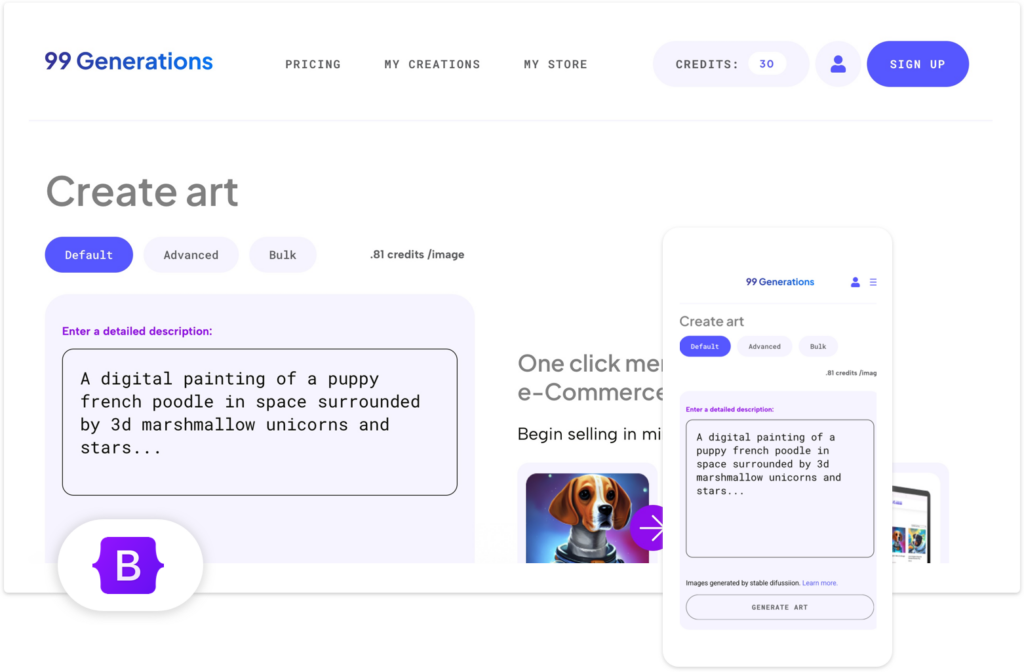
Work Sample :

Why XHTMLTEAM is the Best in 2025
- 15+ Years of Experience – Trusted by agencies worldwide.
- Fast Turnaround Time – Delivery in as little as 2-3 days.
- Affordable Pricing – High-quality service at competitive rates.
- Trusted by Global Brands – Proven expertise in large-scale projects.
- Dedicated Support – Ongoing maintenance and support.
Get Your Figma Design Converted to HTML Today!
Looking for flawless Figma to HTML conversion? XHTMLTEAM outworks the rest, delivering responsive, SEO-optimized sites. Explore our works & portfolio in HTML, WordPress & Email Templates!
Contact us today for a Free Quote!
One thought on “Top Best Figma to HTML Conversion Company in 2025”