Converting a web design in Figma to Divi powered WordPress website involves much more than recreating layouts and matching colors. While visual accuracy is important, search visibility, website performance, accessibility, and user experience play an equally important role in determining whether a website succeeds after launch.
Many businesses invest significant time and money into creating beautiful Figma designs, only to discover that their completed Divi website struggles to rank in search engines, loads slowly on mobile devices, or generates poor engagement metrics. In many cases, these issues are not caused by Divi itself. They are caused by mistakes made during the Figma to Divi conversion process.
Search engines continue to place greater emphasis on user experience, page speed, content structure, mobile usability, and accessibility. At the same time, AI-powered search experiences are becoming better at evaluating website quality beyond simple keyword usage. A website that looks impressive but lacks proper structure often underperforms compared to a well-developed website built with both users and search engines in mind.
Understanding the most common Figma to Divi SEO mistakes can help businesses avoid costly redevelopment work later. Whether you are planning a new website, redesigning an existing site, or looking for professional Figma to Divi services, avoiding these issues from the beginning can contribute to better search visibility, improved user engagement, and stronger long-term results.
At XHTMLTEAM, we manually develop Figma to Divi websites with a strong focus on SEO, performance, accessibility, and maintainability. This article explains the most common SEO mistakes made during Figma to Divi projects and how to avoid them.
What Is a Figma to Divi Conversion?
A Figma to Divi conversion is the process of transforming a website design created in Figma into a fully functional WordPress website using the Divi theme and builder. The goal is to accurately reproduce the original design while ensuring that the website remains responsive, editable, scalable, and optimized for performance.
Many businesses choose Divi because it offers flexibility, visual editing capabilities, and a large ecosystem of modules and design options. However, a successful Figma to Divi project requires more than simply dragging and dropping elements into a page builder.
Every design decision made during development influences website performance. Layout structure, image optimization, heading hierarchy, responsive behavior, code quality, accessibility, and SEO implementation all affect how search engines interpret the website.
When these technical details are overlooked, even the most visually appealing website can experience ranking challenges. This is why professional Figma to Divi development requires a balance between design accuracy and technical optimization.
Why SEO Should Be Considered During Figma to Divi Development
Many website owners focus exclusively on visual design during the development process. SEO is often treated as something that can be added later. Unfortunately, many SEO issues originate during development and become much more difficult to correct after the website has been launched.
Search engines evaluate hundreds of signals when determining rankings. Some of the most important factors are directly influenced by the quality of a Figma to Divi conversion.
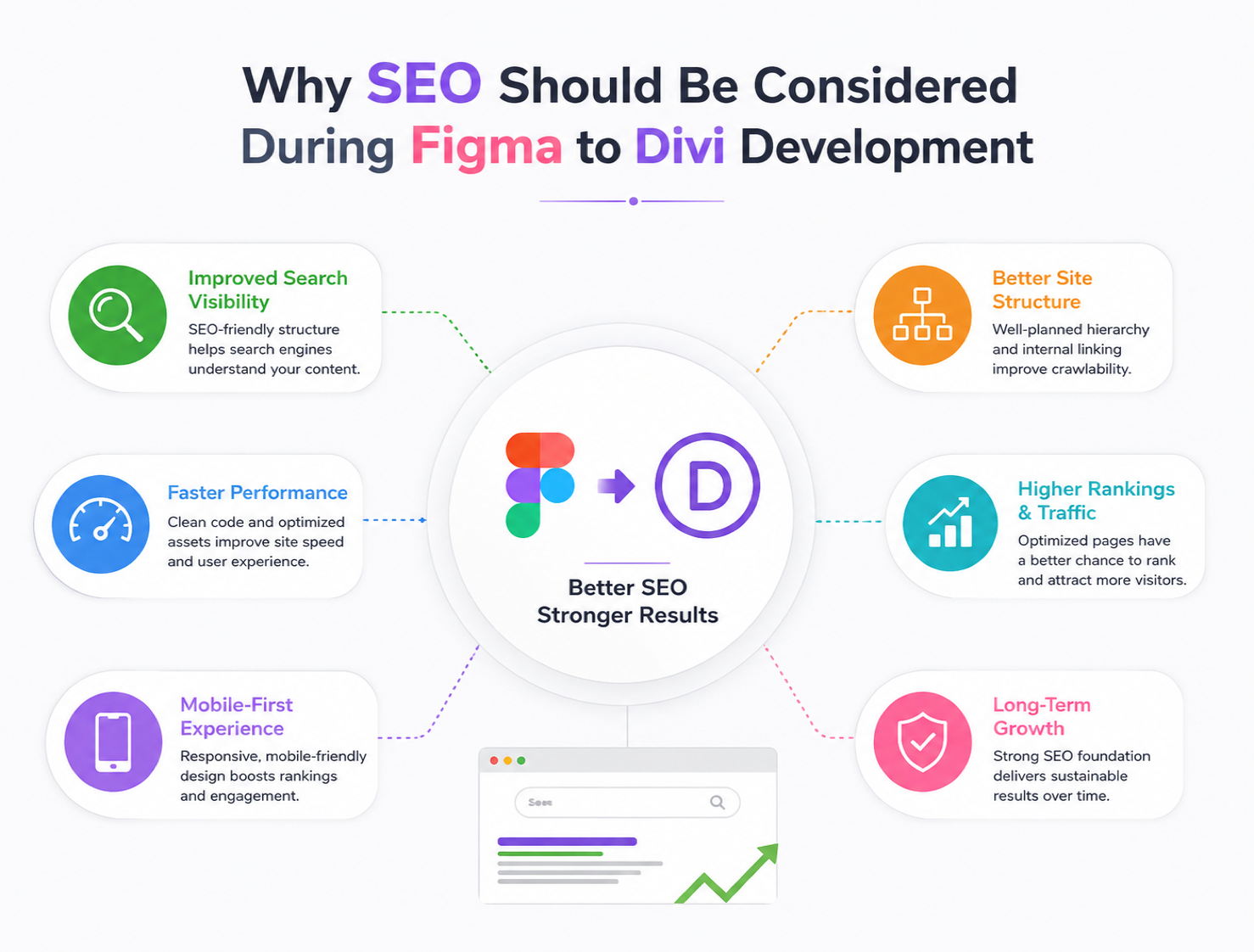
These factors include:
- Website structure
- Page speed
- Mobile usability
- Accessibility
- Internal linking
- Schema markup
- Content hierarchy
- User engagement
A website built without considering these elements may require extensive modifications later to improve search visibility.
Building SEO into the development process creates a stronger foundation from day one.
Figma to Divi SEO Mistake #1: Poor Heading Structure
One of the most common mistakes during a Figma to Divi conversion is treating headings as visual elements rather than structural elements.
Design files often contain text that appears visually larger or smaller than surrounding content. Developers sometimes recreate these styles without considering the importance of heading hierarchy.
This can lead to:
- Multiple H1 tags
- Missing H2 headings
- Incorrect heading order
- Heading tags used purely for styling
Search engines use headings to understand content organization. A poorly structured page makes it harder for search engines to determine the primary topic and supporting information.
How to Avoid This Mistake
Every page should follow a logical heading structure.
Example:
<h1>Figma to Divi Services</h1>
<h2>Benefits of Professional Conversion</h2>
<h3>Improved SEO</h3>
<h3>Better Performance</h3>
<h2>Why Choose XHTMLTEAM</h2>
A well-organized heading structure improves crawlability, accessibility, and content understanding.
Figma to Divi SEO Mistake #2: Ignoring Mobile-First Development
Google primarily evaluates websites based on their mobile experience. Despite this, many Figma to Divi projects still prioritize desktop layouts while treating mobile responsiveness as an afterthought.
Designs that appear perfect on large screens may encounter significant issues on smaller devices.
Common problems include:
- Content overflow
- Small touch targets
- Poor spacing
- Broken layouts
- Slow mobile performance
Mobile users represent a significant portion of website traffic. If mobile visitors encounter usability problems, engagement metrics often decline.
How to Avoid This Mistake
Develop mobile-first layouts from the beginning.
Focus on:
- Responsive typography
- Flexible layouts
- Mobile navigation
- Optimized images
- Touch-friendly interfaces
Testing should occur throughout development rather than after completion.
Figma to Divi SEO Mistake #3: Uploading Oversized Images
Large images remain one of the biggest causes of poor website performance.
Design assets exported directly from Figma are often significantly larger than necessary for web use.
Many websites launch with:
- Uncompressed PNG files
- Full-resolution images
- Large hero graphics
- Oversized background images
These files increase page load times and negatively affect Core Web Vitals.
How to Avoid This Mistake
Optimize all images before uploading them into Divi.
Best practices include:
- Converting images to WebP format
- Compressing assets
- Defining image dimensions
- Using responsive images
- Implementing lazy loading
Example:
<img
src="figma-to-divi.webp"
alt="Figma to Divi website conversion"
loading="lazy"
width="1200"
height="800">
Optimized images improve user experience and support better search visibility.
Figma to Divi SEO Mistake #4: Excessive Use of Divi Modules
Divi provides extensive design flexibility. However, excessive use of modules can create unnecessarily complex page structures.
Some developers recreate every design element using multiple nested modules and containers. This often results in bloated layouts that affect performance.
Problems include:
- Increased DOM size
- Slower rendering
- Additional CSS processing
- Reduced performance scores
Search engines increasingly evaluate real-world user experience, making page efficiency more important than ever.
How to Avoid This Mistake
Keep page structures clean and efficient.
Strategies include:
- Reducing unnecessary nesting
- Reusing templates
- Eliminating duplicate elements
- Combining similar content sections
A streamlined structure generally performs better than an overly complex layout.
Figma to Divi SEO Mistake #5: Weak Internal Linking
Many websites focus heavily on homepage design while overlooking internal linking opportunities.
Without proper internal links, search engines may struggle to discover important content efficiently.
Weak internal linking can lead to:
- Reduced crawl efficiency
- Lower authority distribution
- Poor user navigation
- Missed ranking opportunities
How to Avoid This Mistake
Create a strategic internal linking structure.
Link relevant pages such as:
- Services
- Blog posts
- Case studies
- Industry guides
- Contact pages
Effective internal linking helps search engines understand relationships between pages.
Figma to Divi SEO Mistake #6: Missing Schema Markup
Schema markup provides additional context to search engines.
Without schema, search engines rely entirely on visible content to interpret page information.
Schema can support:
- Rich snippets
- Organization information
- Service information
- FAQ visibility
- Enhanced search listings
Example Schema Markup
<script type="application/ld+json">
{
 "@context":"https://schema.org",
 "@type":"Organization",
 "name":"XHTMLTEAM",
 "url":"https://www.xhtmlteam.com"
}
</script>
Adding structured data improves content understanding and search presentation.
Figma to Divi SEO Mistake #7: Accessibility Issues
Accessibility and SEO often overlap significantly.
Many accessibility problems create barriers for users while also limiting search engine understanding.
Common issues include:
- Missing alt attributes
- Poor contrast ratios
- Unlabeled forms
- Keyboard navigation problems
- Improper heading structures
Search engines increasingly reward websites that provide positive user experiences for all visitors.
How to Avoid This Mistake
Incorporate accessibility throughout development.
Focus on:
- Semantic HTML
- Alternative text
- Keyboard accessibility
- Readable typography
- Proper form labels
Accessibility improvements often contribute to stronger SEO performance.
Figma to Divi SEO Mistake #8: Relying Entirely on Automated Conversion Tools
Automated tools promise fast Figma to Divi conversion, but they often generate code that prioritizes speed of development rather than long-term performance.
Automated conversions frequently create:
- Excessive wrappers
- Unnecessary CSS
- Bloated layouts
- Poor accessibility
- Limited optimization
While these tools may save time initially, they often require additional cleanup and refinement.
Why Manual Development Produces Better Results
Manual development allows experienced developers to evaluate every component individually.
Benefits include:
- Cleaner code structure
- Better accessibility
- Improved performance
- Stronger SEO implementation
- Greater design accuracy
Manual development provides greater control over the final product.
Manual vs Automated Figma to Divi Development
| Feature | Automated Conversion | XHTMLTEAM Manual Development |
| Design Accuracy | Varies | High |
| SEO Optimization | Limited | Extensive |
| Accessibility | Often overlooked | Carefully implemented |
| Performance Optimization | Basic | Advanced |
| Clean Structure | Inconsistent | Structured |
| Scalability | Limited | High |
| Customization | Restricted | Flexible |
| Long-Term Maintainability | Lower | Higher |
Why XHTMLTEAM Uses Manual Figma to Divi Development
At XHTMLTEAM, every Figma to Divi project is manually developed by experienced professionals rather than relying on automated conversion software.
This approach allows us to focus on more than visual accuracy.
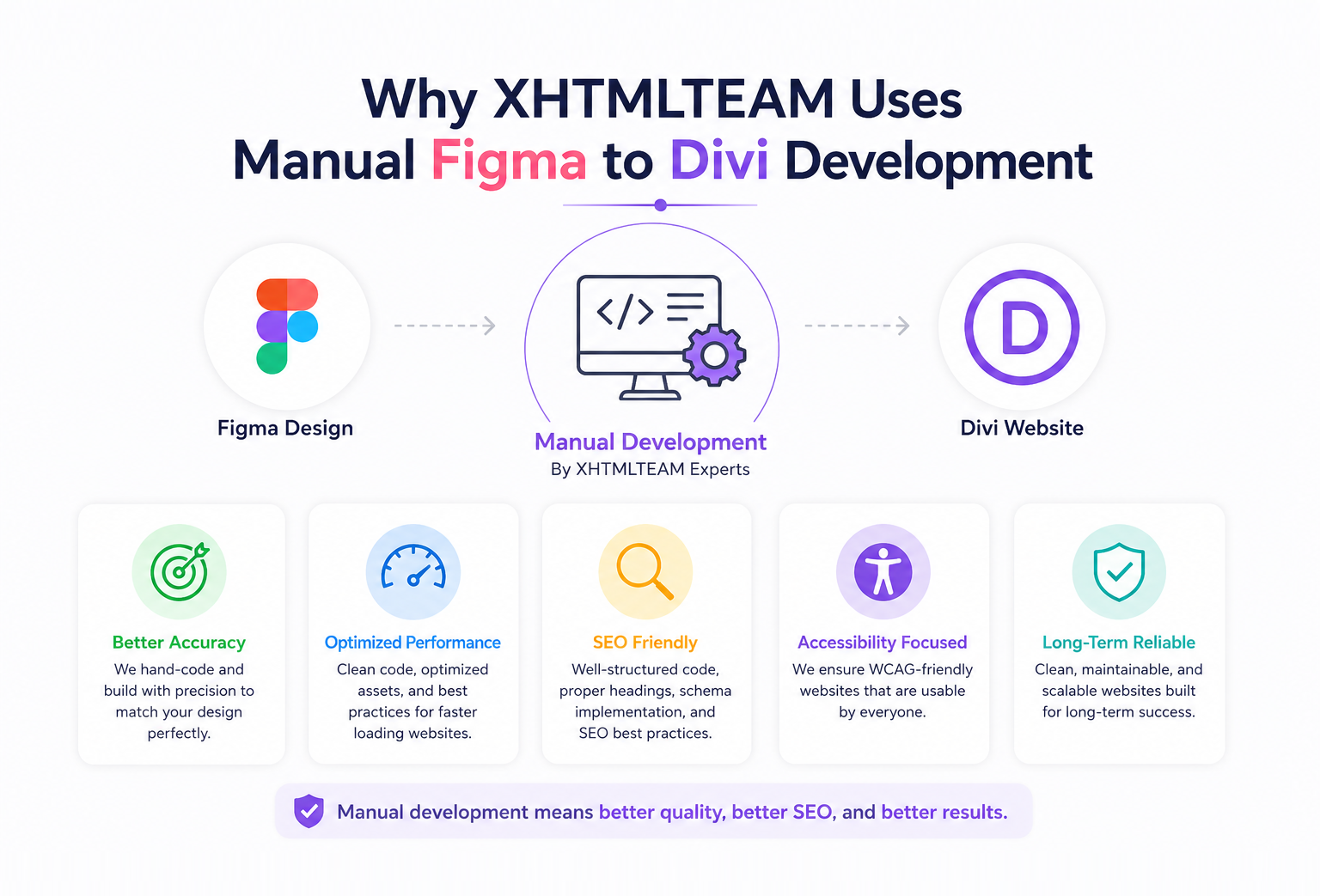
We evaluate:
- Search engine visibility
- Accessibility
- Responsive behavior
- Page speed
- Structured content
- User experience
Our team has extensive experience converting design files into production-ready websites while maintaining high standards for performance and maintainability.
By manually developing every project, we can identify optimization opportunities that automated systems often miss.
How XHTMLTEAM Builds SEO-Friendly Divi Websites
SEO-friendly development begins long before a website launches.
During every Figma to Divi project, XHTMLTEAM focuses on creating a strong technical foundation that supports search visibility and user engagement.
Our process includes:
Structured Content Hierarchy
We build logical heading structures that help both users and search engines understand page content.
Responsive Development
Layouts are tested across multiple devices and screen sizes.
Performance Optimization
Images, assets, and page structures are optimized for speed.
Accessibility Best Practices
Accessibility is incorporated throughout development.
Search-Friendly Architecture
Pages are organized to support crawlability and content discovery.
This combination helps create websites that are easier to maintain, easier to navigate, and better positioned for long-term growth.
Figma to Divi SEO Checklist
Before launching your website, review the following:
- Single H1 tag per page
- Proper heading hierarchy
- Mobile responsiveness
- Optimized images
- Internal linking strategy
- Schema markup implementation
- Accessibility review
- Fast page loading times
- SEO-friendly URLs
- Optimized metadata
Completing this checklist can help prevent common SEO issues after launch.
Frequently Asked Questions About Figma to Divi
Is Divi Good for SEO?
Yes. Divi can perform well in search engines when implemented correctly. Proper optimization, clean structure, responsive design, and performance improvements play a significant role.
Can Divi Match My Figma Design Exactly?
A professionally developed Divi website can closely match the original Figma design while remaining responsive and editable.
How Long Does a Figma to Divi Conversion Take?
The timeline depends on project complexity, number of pages, custom functionality, and design requirements.
Why Is Manual Figma to Divi Development Better?
Manual development provides greater control over code quality, SEO implementation, accessibility, and performance optimization.
Can XHTMLTEAM Convert Large Figma Projects?
Yes. XHTMLTEAM handles projects ranging from small business websites to large corporate websites and complex design systems.
Conclusion
A successful Figma to Divi project involves much more than recreating a design inside WordPress. Search visibility, performance, accessibility, mobile responsiveness, and content structure all influence how effectively a website performs after launch.
Poor heading structures, oversized images, weak internal linking, accessibility problems, excessive Divi modules, and overreliance on automated tools can reduce a website’s ability to compete in search results.
By addressing these issues during development, businesses can create websites that are faster, easier to use, and better positioned for long-term growth.
XHTMLTEAM manually develops Figma to Divi websites with a focus on performance, SEO, accessibility, and maintainability. Every project is built to support both user experience and search engine visibility, helping businesses maximize the value of their design investment.
If you are looking for professional Figma to Divi services, XHTMLTEAM can transform your design into a high-quality Divi website built for speed, scalability, and search success.
XHTMLTEAM — Expert Figma to HTML Conversion & WordPress Services.
Figma to HTML | Figma to WordPress | Figma to Divi | Figma to Elementor | Figma to Email