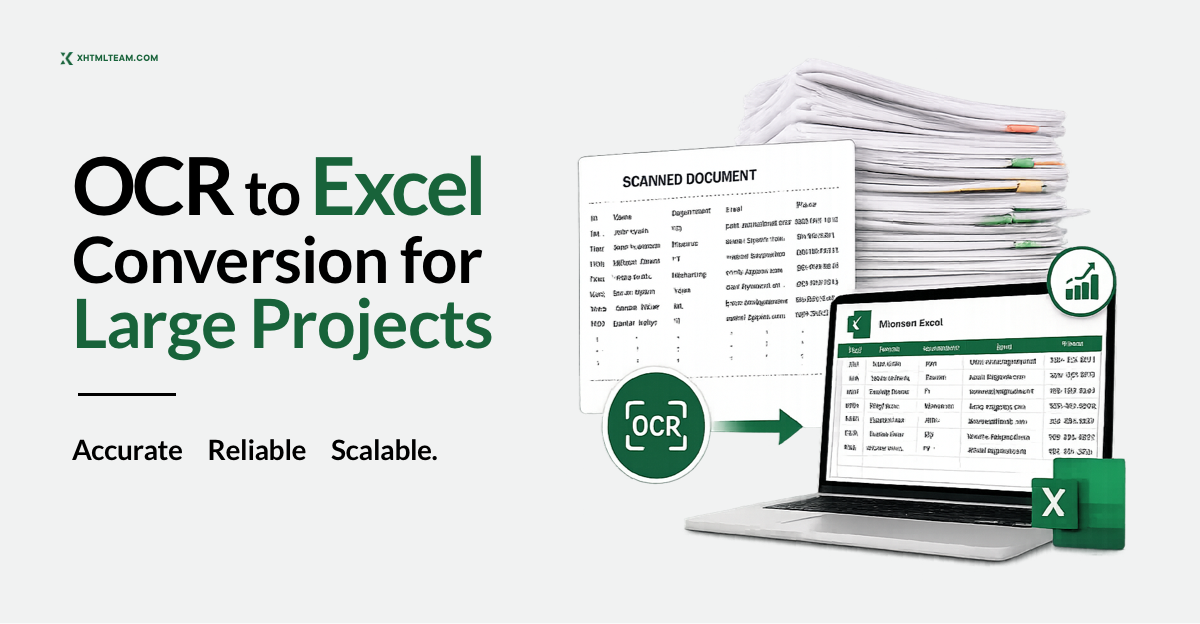
What Does It Mean to Convert OCR to Excel?
Optical Character Recognition — better known as OCR — is the technology that reads scanned images, photographs, or PDF documents and converts the visual content into machine-readable text. When businesses need that text in an organized, usable format, the next step is to convert OCR to Excel or CSV so the data can be filtered, sorted, analyzed, and integrated into business workflows.
At its core, OCR reads what a human eye sees on a scanned page: rows of numbers, product names, addresses, financial figures, or survey responses. The challenge is that what OCR “reads” is raw and often messy. Characters get misread, table structures collapse, and columns shift out of alignment — especially across large-volume projects involving hundreds or thousands of pages. This is where professional OCR to Excel conversion services like those offered by XHTMLTEAM make all the difference.
Whether you’re dealing with legacy paper archives, scanned invoices, handwritten forms, research datasets, or printed reports, converting that data into a clean, structured Excel or CSV file is the gateway to actually using your information.
Why Businesses Need to Convert OCR to Excel for Large Projects
Small-scale OCR conversions — say, a single invoice or a one-page table — can often be handled with standard desktop software. But the moment a project scales to hundreds of documents, thousands of rows, or complex multi-column layouts, the technical and accuracy demands increase dramatically.
Here is why organizations across industries consistently look for expert OCR to Excel conversion support for large projects:
- Volume and speed: Large projects involve time-sensitive deadlines. Manual data entry for thousands of records is simply not feasible without a dedicated team.
- Multi-format complexity: Large datasets often come from mixed sources — printed tables, handwritten forms, low-resolution scans, and multi-page PDFs — each with its own OCR challenges.
- Accuracy requirements: A 95% OCR accuracy rate sounds impressive, but on a dataset of 100,000 cells, that still means 5,000 errors. Large projects demand near-perfect data quality, which requires structured cleanup and validation workflows.
- Structured output needs: Unlike single-document conversions, large projects often require data from many documents to be appended into a single master spreadsheet — a task that goes far beyond simple file export.
- Downstream system compatibility: Converted data often flows directly into CRMs, ERPs, databases, or analytics platforms. Poorly structured Excel or CSV files cause downstream errors that cost more to fix than the original conversion.
XHTMLTEAM’s approach to large-scale OCR to Excel and OCR to CSV projects addresses every one of these challenges through a combination of skilled human operators, structured quality control, and a disciplined data cleanup and validation process.
Human-Verified Accuracy
Every record reviewed by trained operators — not just software output.
Secure Data Handling
Encrypted transfers, NDA-backed confidentiality, restricted file access.
Fast Turnaround
Clear timelines agreed upfront. Rush delivery available for urgent projects.
Global Client Base
Serving USA, UK, Canada, Australia, EU, Japan, Singapore and more.
How XHTMLTEAM Manually Converts OCR Scanned Documents to Excel and CSV
Unlike fully automated OCR software that produces output with no human verification, XHTMLTEAM delivers manually reviewed, human-verified data conversion at scale. This distinction is critical for large projects where automated tools routinely fail on complex layouts, faded text, non-standard fonts, or multi-language documents.
The XHTMLTEAM OCR to Excel Conversion Workflow
Document Assessment & Preparation
Every project begins with a thorough review of source documents. Scan quality, layout complexity, language, and data structure are evaluated. Documents are categorized by difficulty and routed to the right operators. Poor-quality scans may be pre-processed to improve contrast before conversion begins.
Data Capture & Transcription
Trained data entry professionals manually read the OCR-scanned source and key data into structured Excel or CSV templates. Column headers are precisely mapped for tabular data. For form-based documents, field labels are matched to corresponding output columns — eliminating the misalignment errors automated tools introduce.
Structured Formatting
Numbers are standardized (decimal separators, currency symbols, thousands separators), dates are unified into a consistent format, text fields are normalized for case and spacing, and column structures are aligned to match the target database or application schema.
Data Cleanup
This is where raw data becomes reliable information. Cleanup involves removing duplicate rows, correcting misread characters, standardizing abbreviations, filling recoverable missing values, and eliminating irrelevant text captured outside the target data area — headers, footers, watermarks, page numbers.
Data Validation
Converted data undergoes a systematic validation process against defined rules — range checks, format verification, cross-field consistency checks, and comparison against reference data where applicable. Errors flagged during validation are resolved before the final file is delivered.
Quality Review & Delivery
A senior team member checks a statistically significant sample for accuracy, formatting consistency, and completeness. Deliverables are provided in the client’s required format — Excel (.xlsx), CSV, or both — and transferred securely via encrypted protocols.
OCR to CSV vs. OCR to Excel: Which Format Is Right for Your Project?
One of the most common questions in large data conversion projects is whether the output should be in Excel format or CSV format. The answer depends entirely on how the data will be used.
When to Choose OCR to Excel (XLSX)
Excel is the right choice when:
- The converted data includes multiple tables or sheets that need to stay organized within a single file
- You need formatting, color-coding, or conditional formulas preserved in the output
- The data will be reviewed or edited directly by non-technical staff using Microsoft Excel or Google Sheets
- The project requires pivot tables, charts, or dropdown validation built into the output file
- You’re converting financial records where column formatting and decimal precision are critical
When to Choose OCR to CSV
CSV is the right choice when:
- The data will be imported into a database, CRM, or ERP system
- You need a lightweight, universally compatible flat file format
- The dataset is very large and must be processed programmatically
- The receiving application or developer team specifies CSV as the required input format
- You need to automate downstream data pipelines without dependency on Microsoft Office formats
XHTMLTEAM delivers both formats and can produce parallel outputs — clean Excel for human review and CSV for system import — when projects require both.
Common OCR Errors in Large-Scale Projects (And How We Fix Them)
Understanding the types of errors that emerge during OCR to Excel conversion is essential for appreciating why professional data cleanup is not optional — it is fundamental.
Character Misrecognition Errors
OCR software frequently confuses visually similar characters. In a large project with tens of thousands of numeric entries, these misread characters can corrupt an entire column of data. Manual review catches and corrects these systematically. Common misreads include:
- The number 0 read as the letter O
- The number 1 read as the letter l or I
- The number 5 read as the letter S
- The letter sequence rn read as the letter m
- The number 8 read as the letter B
Table Structure Collapse
When OCR software processes complex tables — especially those with merged cells, multi-line rows, or irregular column widths — the output often loses the original table structure entirely. Rows merge together, columns misalign, and data becomes an unstructured block of text. Reconstructing the original tabular structure requires human interpretation of both the source document and the intended data model.
Fragmented Data Across Rows
Multi-line cell content in the source document frequently gets split across multiple Excel rows in the OCR output, creating false row breaks that inflate row counts and corrupt any formula logic built on row structure. Identifying and merging these split rows is a core part of the cleanup process.
Noise Data Capture
OCR tools are indiscriminate — they capture everything visible on the scanned page, including page numbers, section headers, footnotes, watermarks, and handwritten margin notes that should not appear in the final dataset. Filtering this noise out requires a human understanding of what belongs in the data and what does not.
Inconsistent Formatting Within the Same Field
A single date column in a large dataset may contain values formatted as “01/15/2024”, “January 15, 2024”, “15-Jan-24”, and “2024-01-15” — all representing the same type of data but in incompatible formats. Standardizing these variations is a critical cleanup step that automated tools handle poorly across large, mixed-source projects.
Data Cleanup for OCR to Excel Conversion: A Detailed Breakdown
Data cleanup is the process of transforming raw OCR output into data that is accurate, consistent, complete, and properly structured. For large projects, this is a multi-stage operation, not a single pass.

Deduplication
Large OCR projects — particularly those involving scanning physical archives — often result in duplicate records. The same document may have been scanned twice, or the same data may appear in multiple source files. Deduplication identifies and removes redundant rows while preserving the authoritative record. In some datasets, true duplicates are defined by an exact match on a primary key field (such as a customer ID or invoice number). In others, fuzzy matching logic is required to catch near-duplicates where minor spelling or formatting variations prevent exact-match detection.
Standardization of Values
Every field in the output dataset should follow a consistent format. Without standardization, downstream systems that depend on consistent field formats will fail silently or generate incorrect outputs. Key standardization tasks include:
- Dates: Unified to a single format (e.g., YYYY-MM-DD for database imports)
- Currency values: Consistent decimal and thousands separators, uniform currency symbol placement
- Text case: All-caps entries normalized to title case or sentence case as appropriate
- Phone numbers: Consistent formatting with or without country codes, dashes, or parentheses
- Abbreviations: Standardized use (e.g., “St.” vs. “Street” vs. “ST”)
- Boolean fields: Consistent representation (e.g., “Yes/No” vs. “Y/N” vs. “1/0”)
Handling Missing Values
In any large OCR dataset, some values will be missing — either because the field was blank in the source document, the OCR failed to read it, or the data simply does not exist. Missing values need to be handled consistently. Genuinely missing data is marked with an agreed-upon placeholder (empty cell, “N/A”, or “NULL”). Recoverable missing data — where the value can be inferred from context or other fields — is filled in during review. Records with critical missing values are flagged for client review rather than silently dropped.
Whitespace and Special Character Removal
OCR output frequently introduces invisible formatting issues: leading and trailing spaces in text fields, non-breaking spaces that prevent proper text matching, line break characters embedded within cell values, and special characters from the original document’s encoding. These issues are invisible to the naked eye but cause import failures, broken formulas, and search mismatches in downstream systems. A thorough cleanup pass removes all such anomalies from every cell in the dataset.
Structural Normalization
When source documents vary in layout across the project — different column orders, additional columns in some files, or different row structures — the output data must be normalized into a unified schema. This means reordering columns, splitting composite fields into discrete columns (e.g., splitting “First Last” into “First Name” and “Last Name”), and ensuring every row conforms to the same data model regardless of which source document it came from.
Data Validation for OCR to Excel Projects: Ensuring Accuracy at Scale
If data cleanup is about fixing what exists, data validation is about confirming that what exists is correct, complete, and consistent with defined rules. For large OCR to Excel projects, a rigorous validation framework is what separates a reliable dataset from a dangerous one.
Validation Checklist Applied to Every Large Project
- Format validation — emails, phone numbers, dates, and postal codes verified against expected patterns
- Range and boundary validation — numeric fields checked against business-defined minimum and maximum values
- Cross-field consistency validation — logical relationships between fields verified (e.g., ship date never before order date; line item totals must match invoice total)
- Reference data validation — codes and IDs verified against master lists, product catalogs, or CRM exports
- Completeness validation — all required fields confirmed populated before delivery; no silently dropped records
- Sample-based accuracy auditing — senior review comparing converted output directly against source documents at a statistically significant sample rate
Format Validation
Format validation checks that each value in a field conforms to the expected format. Email addresses must match a valid pattern. Phone numbers must contain only numeric characters and recognized formatting symbols. Dates must fall within valid ranges and follow the required format. Any value that fails format validation is flagged for manual review rather than silently passed through.
Range and Boundary Validation
Numeric fields are validated against expected ranges. A percentage field should always be between 0 and 100. A quantity field should never be negative. An invoice amount field should fall within a reasonable range for the business context. Values outside expected ranges are flagged — they may represent OCR misreads (for example, a misread comma turning 1,200 into an incorrect value) or genuine data anomalies that deserve attention before the data is used.
Cross-Field Consistency Validation
Many datasets have logical relationships between fields that should hold true across every row. For example: an order’s ship date should never be earlier than its order date; a product’s sale price should never exceed its list price; the sum of line items in an invoice should equal the invoice total; a customer’s city should be consistent with their state and postal code. Cross-field consistency validation checks these relationships systematically across the entire dataset and flags any record where a logical inconsistency is detected.
Real-World Sample: Before vs. After OCR to Excel Conversion
To illustrate the real-world transformation that professional OCR to Excel conversion delivers, here is a simplified example of what raw OCR output looks like versus the clean, validated output XHTMLTEAM delivers.
| Invoice No | Date | Customer | Amount | Status |
|---|---|---|---|---|
| lNV-0O1 | O1-Jan-24 | ACME Corp | $1.250.00 | Piad |
| INV-002 | Jan 3, 2024 | Acme corp | 1,250 | paid |
| lNV-003 | 2024/01/05 | ACME CORP. | $l,25O.OO | PAID |
| INV 004 | 5th Jan 24 | acme | 1250.00 | p |
| Invoice No | Date | Customer | Amount ($) | Status |
|---|---|---|---|---|
| INV-001 | 2024-01-01 | ACME Corp | 1250.00 | Paid |
| INV-002 | 2024-01-03 | ACME Corp | 1250.00 | Paid |
| INV-003 | 2024-01-05 | ACME Corp | 1250.00 | Paid |
| INV-004 | 2024-01-05 | ACME Corp | 1250.00 | Paid |
What changed in this conversion:
- Character misreads corrected — lNV→INV, O→0, l→1, Piad→Paid across all rows
- Date formats unified to ISO 8601 standard (YYYY-MM-DD) from 4 different source formats
- Customer name normalized — 5 inconsistent variants resolved to a single canonical value
- Amount formatting standardized — currency symbol removed from data field, consistent decimal notation applied
- Status values normalized — 5 variants (Piad, paid, PAID, PAID, p) resolved to “Paid”
Industries That Benefit from Professional OCR to Excel Conversion
XHTMLTEAM serves organizations across a wide range of industries that generate large volumes of paper-based or scanned data requiring conversion to Excel or CSV:
Healthcare and Medical Research
Medical institutions deal with patient records, clinical trial data, lab results, and insurance forms — often in paper or scanned PDF format. Converting these to Excel enables analysis, reporting, and integration with electronic health record systems. Accuracy is critical in this context; a misread value in a medication dosage field can have serious consequences. XHTMLTEAM’s multi-stage validation process is designed to meet the precision requirements of healthcare data projects.
Legal and Compliance
Law firms and compliance departments maintain large archives of contracts, court filings, regulatory submissions, and discovery documents. Converting these to searchable, structured Excel data enables faster document review, deadline tracking, and compliance reporting. The manual nature of XHTMLTEAM’s process ensures that complex legal document structures are preserved accurately in the output.
Finance and Accounting
Financial institutions and accounting firms process invoices, bank statements, expense reports, and audit documents at high volume. Converting OCR to Excel allows these records to be reconciled, analyzed, and imported into accounting systems with precision. Range validation and cross-field consistency checks are especially important in financial data conversion, where a single misread digit can affect an entire audit trail.
Education and Research
Universities and research institutions frequently need to digitize historical records, survey response sheets, enrollment data, or academic performance records from paper archives. XHTMLTEAM has served educational institutions across the USA, UK, and Canada with large-scale data conversion projects, delivering clean, structured datasets ready for analysis and reporting.
Retail and E-Commerce
Retailers and e-commerce businesses often need to convert printed product catalogs, supplier price lists, inventory records, or historical sales reports into Excel or CSV for import into platforms such as Magento, WooCommerce, Shopify, or BigCommerce. Data structure consistency across thousands of product records is essential for successful catalog imports.
Government and Public Sector
Government agencies digitizing legacy records — census data, property records, licensing applications, permit archives — require high-accuracy OCR to Excel conversion with strict data validation to ensure the integrity of public records. XHTMLTEAM’s secure handling protocols and confidentiality practices make it a suitable partner for government-sector data conversion projects.
Why Automated OCR Tools Are Not Enough for Large Projects
There is no shortage of automated OCR software claiming to convert scanned documents to Excel in minutes. Tools like ABBYY FineReader, Adobe Acrobat’s export function, and cloud-based OCR platforms serve an important role for simple, low-volume conversions. But for large-scale projects, automated tools have fundamental limitations that no software update has yet solved:
- Automated OCR tools achieve 95–99% character recognition accuracy — which sounds strong, but means thousands of uncorrected errors in large datasets
- They cannot validate data against business rules or flag values that are technically recognized but logically incorrect
- They struggle with complex or inconsistent layouts across multiple documents in the same project
- They produce one file per document rather than a unified master dataset across hundreds of source files
- They cannot distinguish relevant data from noise — page numbers, footnotes, watermarks — without manual configuration for each document type
- They have no mechanism for cross-field consistency checking, deduplication, or reference data validation
For a project involving dozens of documents with similar layouts, a well-configured automated tool might produce acceptable results. For a project involving hundreds of varied documents requiring a single clean master dataset, human expertise is not optional — it is the only path to a reliable outcome.
The XHTMLTEAM Advantage: Manual Precision at Competitive Rates
XHTMLTEAM is a licensed data conversion outsourcing company with a global client base spanning the USA, Canada, UK, Australia, Switzerland, Netherlands, Japan, Hong Kong, and Singapore. The team specializes in:
- Manual OCR to Excel conversion for large and complex projects
- OCR to CSV conversion for database and system import workflows
- Data cleanup including deduplication, standardization, noise removal, and structural normalization
- Data validation including format checks, range validation, cross-field consistency, and completeness auditing
- Secure data handling using encrypted transfer protocols and strict confidentiality practices
- Fast turnaround with clear timelines established after project scope review
Services are priced at $4–$6 USD per hour, delivering enterprise-grade data quality at outsourcing rates that make large projects economically viable. XHTMLTEAM’s quality assurance process includes structured manual review and multi-level sign-off before any deliverable leaves the team. The result is a clean, validated Excel or CSV file your team can use with confidence — without spending additional hours fixing errors after delivery.
Frequently Asked Questions About OCR to Excel Conversion
How accurate is XHTMLTEAM’s OCR to Excel conversion?
XHTMLTEAM targets and maintains near-100% accuracy on delivered data through a combination of skilled manual data entry and rigorous multi-stage quality control. Unlike automated OCR tools that output at 95–99% character recognition accuracy without further review, XHTMLTEAM’s process includes dedicated data cleanup and validation stages that catch and correct errors before delivery.
Can XHTMLTEAM handle handwritten or low-quality scans?
Yes. The manual nature of XHTMLTEAM’s conversion process means the team can work with materials that automated OCR tools handle poorly — including handwritten documents, degraded scans, low-contrast images, and non-standard fonts. Documents that would be unacceptable input for automated tools are reviewed case by case, and XHTMLTEAM will advise on expected accuracy based on source quality.
What is the difference between OCR to Excel and OCR to CSV?
Excel (.xlsx) files support multiple sheets, formatting, formulas, and charts — making them ideal for human-reviewed data or downstream Excel-based analysis. CSV files are flat text files that are universally compatible with databases, programming environments, and data import tools — making them ideal for system integration. XHTMLTEAM can deliver either format, or both simultaneously, depending on project requirements.
How long does a large OCR to Excel project take?
Project timelines depend on the volume of source documents, layout complexity, and the level of data cleanup and validation required. XHTMLTEAM provides a clear timeline estimate after reviewing a sample of the project’s source materials. Rush delivery options are available for time-sensitive projects.
Is my data secure with XHTMLTEAM?
Yes. XHTMLTEAM uses secure transfer protocols, encrypted storage, and strict confidentiality practices. Sensitive client data is handled under non-disclosure agreements, and access to project files is restricted to the team members working on that specific project.
What types of source documents can be converted?
XHTMLTEAM converts data from scanned paper documents, image files (JPG, PNG, TIFF), PDF files (both searchable and image-based), multi-page documents, books and magazines, printed reports, invoices, forms, and historical archives. If your source material is in physical or scanned digital format, it can be converted to Excel or CSV.
Ready to Convert Your OCR Documents to Excel or CSV?
XHTMLTEAM handles large-scale projects with manual precision, full data cleanup, and rigorous validation — from $4/hr. Serving clients globally across the USA, UK, Canada, Australia, and beyond.
XHTMLTEAM — Accurate Data Conversion, Delivered.
Data Conversion | OCR to Excel | OCR to CSV | Data Cleanup | Data Validation