Why Developers Are Looking Beyond Bootstrap in 2026
Bootstrap has been the go-to CSS framework since Twitter released it in 2011. With over 172,000 GitHub stars and presence on roughly 19–20% of all tracked websites globally, it remains one of the most widely deployed frontend frameworks in history. But in 2026, the web development landscape has shifted significantly. Developers building modern stacks — React, Next.js, Vue, Svelte, Astro — are increasingly turning to leaner, more flexible Bootstrap alternatives that better match how UIs are built today.
The criticisms of Bootstrap are familiar to any experienced frontend developer. Its component-first philosophy produces recognizable “Bootstrap-looking” sites unless you invest heavily in overrides. Its full CSS bundle weighs 100–200KB, significantly heavier than modern utility-first frameworks that ship under 10KB after purging. And while Bootstrap 5 removed the jQuery dependency, it still bundles JavaScript for interactive components, adding overhead that many modern projects don’t need. Utility-first frameworks now handle these use cases more cleanly through ecosystems of headless, accessible, framework-agnostic components.
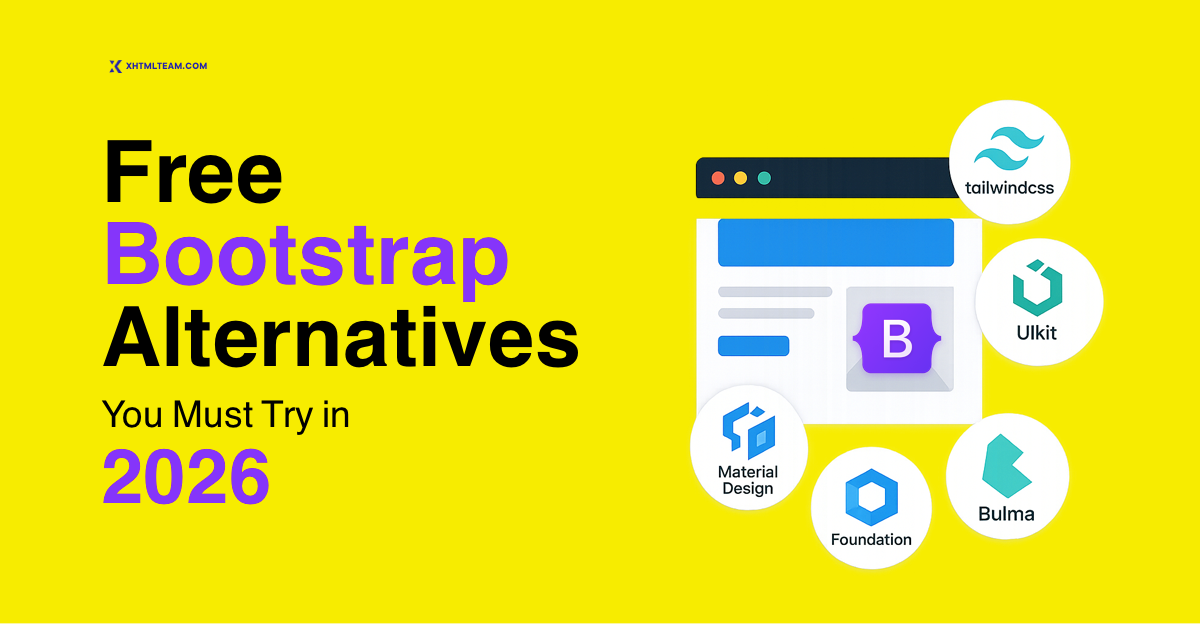
This guide covers the best free Bootstrap alternatives in 2026 — from the dominant Tailwind CSS to specialist frameworks for React, for lightweight projects, and for enterprise-scale applications. Whether you’re looking for a free Bootstrap alternative 2026 download, exploring React Bootstrap alternatives, or simply want to understand which CSS frameworks 2026 deserve your attention, this article covers everything you need to make an informed decision.
1. Tailwind CSS — The #1 Free Bootstrap Alternative in 2026

If there is one Bootstrap alternative free download that every frontend developer should know in 2026, it is Tailwind CSS. Released in 2017 by Adam Wathan, Tailwind takes a fundamentally different approach to styling. Rather than shipping pre-built components like Bootstrap’s .btn-primary or .navbar, Tailwind provides hundreds of single-purpose utility classes that you compose directly in your HTML markup. Every design decision — spacing, color, typography, layout — lives explicitly in your markup, giving you complete creative control without ever opening a separate CSS file.
Tailwind CSS v4.0, released in the first quarter of 2026, introduced a new Rust-based build engine that delivers 20% faster build times. The Just-In-Time compiler scans your project for used classes and generates only the CSS that is actually needed. The result is production bundles as small as 3–5KB gzipped — a dramatic contrast to Bootstrap’s 100–200KB. This leaner output translates directly into better Core Web Vitals scores, faster page loads, and improved SEO performance. It is no surprise that companies like OpenAI, Vercel, Shopify, Stripe, and GitHub use Tailwind in production.
According to the State of CSS 2025 survey, Tailwind reached 62% satisfaction and usage — up 15% year-over-year — while pulling in over 31 million weekly npm downloads. The Stack Overflow 2025 Developer Survey placed Tailwind in 28% of “most wanted” frameworks. Tailwind is now the default choice for most modern frontend teams starting new projects, particularly those using React, Next.js, Vue, or Svelte.
Key Features of Tailwind CSS
- Utility-first design system — compose unique UIs without writing custom CSS
- JIT compiler — generates only the CSS your project actually uses, keeping bundles tiny
- Fully responsive — responsive variants like
md:flexandlg:gridbaked in - Dark mode support — toggle-based dark mode with a single config setting
- Extensive ecosystem — Headless UI, DaisyUI, Flowbite, shadcn/ui, Preline all built on Tailwind
- Framework agnostic — works seamlessly with React, Vue, Angular, Svelte, Astro, and plain HTML
Tailwind CSS Code Sample
<!-- Tailwind CSS button -->
<button class="bg-blue-600 text-white px-5 py-2.5 rounded-lg
               font-semibold hover:bg-blue-700 transition-colors
               focus:ring-2 focus:ring-blue-400 focus:outline-none">
  Get Started
</button>

<!-- Tailwind CSS card -->
<div class="bg-white rounded-2xl shadow-md p-6 max-w-sm
            border border-gray-100 hover:shadow-lg transition-shadow">
  <h3 class="text-xl font-bold text-gray-900 mb-2">Card Title</h3>
  <p class="text-gray-500 text-sm leading-relaxed">
    Card description goes here. Clean, minimal, fully custom.
  </p>
  <a href="#" class="mt-4 inline-block text-blue-600 font-semibold
                     text-sm hover:underline">Learn more →</a>
</div>
Best for: Modern web apps, SaaS products, marketing sites, and any project where custom design and performance are priorities. Tailwind is the top recommendation for any team using React or Next.js.
2. Bulma — A Modern Flexbox Bootstrap Alternative Free Download

Bulma is a modern, CSS-only Bootstrap alternative free framework built entirely on Flexbox. Created by Jeremy Thomas, Bulma has earned a devoted following among developers who want Bootstrap-like structure and component coverage without Bootstrap’s JavaScript dependency or its recognizable visual aesthetic. With version 1.0.0 released in March 2025 — bringing CSS custom properties throughout the entire framework and official dark mode support — Bulma is more relevant in 2026 than ever before.
What makes Bulma a particularly compelling best bootstrap alternative for many projects is its clean, readable class syntax. Instead of Bootstrap’s .row and .col-md-6, Bulma uses .columns and .column.is-half. The naming is intuitive, self-documenting, and pleasant to write. Bulma’s modular architecture lets you import only the specific components your project needs — buttons, forms, cards, navbar, modal — keeping your CSS footprint lean and predictable. Because there is no bundled JavaScript, Bulma integrates cleanly with any JavaScript framework or library you choose, with no risk of dependency conflicts.
Key Features of Bulma
- Pure CSS — no JavaScript — integrate with Vue, React, Alpine.js, or vanilla JS freely
- Flexbox-first grid — intuitive
.columnsand.columnlayout system - CSS custom properties — theme the entire framework by changing a handful of variables
- Official dark mode — built in since v1.0, no hacks required
- Modular imports — import only the components you need via Sass
- Excellent documentation — clear, well-organized, beginner-friendly
Bulma Code Sample
<div class="columns">
  <div class="column is-two-thirds">
    <!-- Main content -->
    <div class="card">
      <div class="card-content">
        <p class="title">Main Panel</p>
        <p class="content">Your content goes here.</p>
      </div>
    </div>
  </div>
  <div class="column">
    <!-- Sidebar -->
    <div class="notification is-info is-light">
      Sidebar content here.
    </div>
  </div>
</div>
Best for: Developers who want a Bootstrap-like component system without JavaScript, and projects where clean code readability is a priority. An excellent Bootstrap 2026 alternative free download for content sites, portfolios, and admin interfaces.
3. Foundation — The Enterprise-Ready Bootstrap Alternative CSS Framework 2026

Foundation by Zurb is one of the most robust and battle-tested Bootstrap alternatives free in the web development ecosystem. Where Bootstrap is designed to be approachable and quick to deploy, Foundation is built for professional-grade, enterprise-level projects that demand exceptional flexibility and full control over the responsive grid, typography, and component behavior. Foundation’s advanced features — a flexible grid system, a powerful motion UI library, and comprehensive accessibility tooling — make it a favorite among agencies and large organizations building complex, long-lived web products.
Foundation is also notable for being the only major CSS framework 2026 that ships with a dedicated email framework — Foundation for Emails — allowing teams to code responsive HTML emails using the same framework conventions they use for web interfaces. Its Sass-based architecture is deeply configurable: virtually every aspect of every component — grid columns, gutter widths, breakpoints, button radii, color palettes — can be overridden at the Sass variable level without touching component code.
Key Features of Foundation
- Advanced responsive grid — XY Grid offering horizontal and vertical alignment simultaneously
- Foundation for Emails — companion email framework for responsive HTML email development
- Motion UI — built-in animation and transition library
- Accessible by default — ARIA roles and keyboard navigation built into all components
- Deep Sass customization — override any design token without component-level overrides
- Strong documentation — code examples, accessibility guidelines, and implementation notes
Best for: Agencies, enterprise teams, and projects that need a highly customizable, accessibility-first framework with professional-grade grid and motion capabilities. Also ideal for teams managing both web and email template development.
4. Materialize — Google Material Design as a Free Bootstrap Alternative

Materialize brings Google’s Material Design specification to life as a free, open-source CSS framework. If your project calls for Material Design aesthetics — the layered elevation effects, ripple interactions, floating action buttons, and clean card layouts that define Google’s visual language across Android and web products — Materialize is the most direct path to that look without building it from scratch. It provides a complete component library including navbars, cards, modals, toasts, sliders, tabs, chips, and more, all styled according to Material Design principles.
As a best bootstrap alternative for consumer-facing applications, Materialize is particularly strong when your users are already accustomed to Material Design interfaces — mobile apps, Android applications, Google products. Materialize includes both a CSS file and a JavaScript file, similar to Bootstrap’s structure, which means interactive components like dropdowns, modals, and select inputs work out of the box without additional dependencies. It is a strong candidate if you need a free Bootstrap alternatives 2026 option that delivers polished interactive UI without requiring significant design work.
Key Features of Materialize
- Material Design compliance — shadow system, ripple effects, elevation, and color palettes
- Rich component library — FABs, date pickers, chips, toasts, sliders, tabs, collapsibles
- CSS + JavaScript bundled — interactive components ready to use without extra libraries
- Responsive grid — 12-column fluid grid similar to Bootstrap’s
- Easy theming — Sass variables for color, typography, and spacing customization
Best for: Consumer web apps, admin dashboards, and any project where Material Design aesthetics align with the product’s target audience or brand direction.
5. Pico.css — The Minimal Semantic CSS Framework 2026

Pico.css takes a radically different approach from every other framework on this list. Rather than adding classes to your HTML elements, Pico.css styles native semantic HTML elements directly — <button>, <form>, <input>, <table>, <nav>, <article>, <header> — with thoughtful, accessible default styles. The result is a beautiful, functional interface with near-zero additional markup. Write clean, semantic HTML and Pico.css does the rest — no class names, no utility soup, no component scaffolding required.
Pico.css has emerged as a standout in the growing “indie CSS” movement that celebrates modern CSS capabilities over framework overhead. It weighs under 10KB gzipped, ships with both light and dark themes that respond to the user’s system preference automatically, and embraces modern CSS features like container queries and CSS custom properties throughout. In 2026 developer communities, Pico.css is frequently recommended for documentation sites, developer tools, personal projects, and any interface where speed of development and semantic HTML quality are priorities.
Key Features of Pico.css
- Zero class names required — styles native HTML elements directly for clean markup
- Automatic dark mode — responds to
prefers-color-schemewith no configuration - Under 10KB gzipped — one of the smallest complete CSS frameworks available
- Accessible defaults — focus states, ARIA-compatible defaults throughout
- CSS custom properties — easy theming through a well-organized variable system
Best for: Documentation sites, developer tools, personal projects, MVPs, and any project where writing clean semantic HTML is valued over extensive component customization.
6. UIkit — A Feature-Rich Free Bootstrap Alternative with Excellent Components

UIkit is a comprehensive, modular frontend framework developed by YOOtheme, with a component library that rivals — and in several respects exceeds — Bootstrap’s. What sets UIkit apart from other Bootstrap alternatives free is the sheer breadth and polish of its component library. Beyond the standard buttons, cards, and grids, UIkit includes a lightbox, slideshow, parallax effects, sticky elements, smooth scroll, off-canvas navigation, and a comprehensive set of JavaScript-powered interactive components — all production-ready and well-documented.
UIkit uses a consistent naming convention prefixed with uk-, making it easy to distinguish UIkit classes from other styling in your markup. Its Sass source is well-structured for customization, and the framework ships with a dedicated customizer that allows visual theme adjustments. For teams building content-heavy sites, e-commerce platforms, or agency work where a wide variety of ready-to-use components is valuable, UIkit is one of the strongest best bootstrap alternatives available at no cost.
Key Features of UIkit
- Extensive component library — lightbox, slideshow, parallax, sticky, off-canvas included
- Modular architecture — import only the components your project uses
- Clean JavaScript API — data attribute and programmatic initialization options
- Sass customization — comprehensive variable system for deep theming
- Consistent naming — all classes prefixed with
uk-for clean coexistence with other CSS
Best for: Agency work, content-rich websites, and projects that need an extensive out-of-the-box component library with polished JavaScript interactions included.
7. Pure.css — The Ultra-Lightweight Bootstrap Alternative for CSS Frameworks 2026

Pure.css is a collection of small, responsive CSS modules developed by Yahoo. At just 3.8KB minified and gzipped for the full bundle, Pure.css holds the record as one of the smallest fully functional CSS frameworks available. It provides the essentials — a responsive grid, base typography, forms, buttons, tables, and menus — without the bloat of larger frameworks. The modular structure means you can include only the specific CSS modules your project needs, keeping your production stylesheet as lean as possible. Pure.css has no JavaScript dependency whatsoever, making it completely safe to drop into any project without risk of conflicts.
As a free Bootstrap alternatives 2026 option for performance-critical contexts — AMP pages, email templates, embedded widgets, or projects with aggressive performance budgets — Pure.css is difficult to beat on raw file size. Its grid system is fully fluid and supports multiple responsive layouts. Pure.css is the right choice for projects where minimalism and performance are the top priorities, delivering a clean CSS baseline with virtually no visual opinions imposed on your design.
Key Features of Pure.css
- 3.8KB total — the smallest complete CSS framework available as a free Bootstrap alternative
- Modular CSS modules — grid, forms, buttons, tables, menus available individually
- No JavaScript — zero risk of JS conflicts, no runtime overhead
- Responsive grid — fluid, percentage-based grid with fractional class modifiers
- Minimal visual opinion — a clean baseline that doesn’t dictate your visual design
Best for: Performance-critical pages, embedded widgets, email templates, and any project where file size is the primary constraint.
8. shadcn/ui — The Best React Bootstrap Alternative in 2026

shadcn/ui has become the dominant React Bootstrap alternative in 2026, and it works differently from any other framework in this list. It is not a traditional component library that you install as a dependency. Instead, shadcn/ui is a collection of beautifully designed, accessible React components built on Tailwind CSS and Radix UI primitives that you copy directly into your project as your own code. There is no npm package to import, no version lock-in, and no fighting a library’s internal architecture. You own every component file and modify it freely.
This ownership model has resonated powerfully with the React development community. In 2025 and 2026, shadcn/ui emerged as the most popular React component library, with adoption rates growing rapidly across SaaS startups, developer tools, and enterprise React applications. Each component is accessible by default — keyboard navigable, screen reader compatible, ARIA-compliant — because it is built on Radix UI’s headless primitives. For teams asking what the best bootstrap alternative is for a React project in 2026, shadcn/ui paired with Tailwind is the clear answer.
Key Features of shadcn/ui
- No dependency lock-in — components live in your codebase, fully under your control
- Accessible by default — built on Radix UI, all components are WCAG-compliant
- Tailwind CSS powered — integrates natively with any existing Tailwind project
- Beautiful defaults — professionally designed components ready to use immediately
- CLI installation — add individual components with a single CLI command
- TypeScript support — all components ship with full TypeScript definitions
shadcn/ui Code Sample
# Install a single component into your project
npx shadcn-ui@latest add button

# Then use it in your React component
import { Button } from "@/components/ui/button"

export default function Page() {
  return (
    <div>
      <Button variant="default">Primary Action</Button>
      <Button variant="outline">Secondary</Button>
      <Button variant="destructive">Delete</Button>
    </div>
  )
}
Best for: React and Next.js projects, SaaS products, developer tools, and any team that wants beautiful, accessible components they own and can modify without constraint. The definitive React Bootstrap alternative in 2026.
9. DaisyUI — The Tailwind-Based Bootstrap Alternative Free in 2026

DaisyUI adds a layer of semantic component classes on top of Tailwind CSS, bridging the gap between Tailwind’s utility-first approach and Bootstrap’s component-based convenience. Instead of writing bg-blue-600 text-white px-4 py-2 rounded-lg every time you need a button, DaisyUI lets you write btn btn-primary — familiar Bootstrap-like syntax, powered by Tailwind under the hood. This makes DaisyUI a particularly compelling bootstrap alternative free for developers who appreciate Tailwind’s philosophy but find the verbose utility syntax a friction point in day-to-day use.
DaisyUI ships with over 30 built-in themes — light, dark, cupcake, cyberpunk, retro, forest, and more — each fully customizable via CSS variables. Switching themes is as simple as changing a data-theme attribute on your <html> element. The component library covers all the essentials: buttons, cards, modals, dropdowns, navbars, badges, alerts, tooltips, tabs, carousels, and more. DaisyUI is framework agnostic and works equally well in Vue, Svelte, Angular, and vanilla HTML projects, not just React.
Key Features of DaisyUI
- Semantic component classes — Bootstrap-style class names powered by Tailwind
- 30+ built-in themes — swap themes via a single HTML attribute
- Tailwind native — adds component classes without replacing Tailwind utilities
- Framework agnostic — works with React, Vue, Svelte, Angular, and plain HTML
- Zero JavaScript — pure CSS components, bring your own JS for interactions
Best for: Projects already using Tailwind CSS that want Bootstrap-like semantic component classes, and teams who want fast UI development without sacrificing Tailwind’s design flexibility.
10. Skeleton — A Lightweight Bootstrap Alternative for Simple Projects

Skeleton Framework is a dead-simple CSS framework — approximately 400 lines of CSS — that provides exactly the fundamentals needed to start a small web project: a 12-column fluid grid, base typography, buttons, forms, lists, tables, and a handful of utility classes. Nothing more. There are no elaborate component libraries, no JavaScript dependencies, no theming system. Skeleton is designed for developers who need a solid structural baseline for a simple website and do not want to carry the weight of a larger CSS framework 2026 for a project that does not need it.
Skeleton’s 12-column grid is familiar to anyone who has used Bootstrap’s grid, making the transition straightforward. Its simplicity is its greatest feature: it imposes almost no visual opinions beyond sensible defaults, leaving your design completely unobstructed. For developers new to frontend frameworks, Skeleton is also an excellent learning tool — its source code is short enough to read in an afternoon, making it easy to understand exactly how a responsive CSS grid baseline actually works.
Best for: Small websites, landing pages, personal projects, rapid prototypes, and use as a learning tool for developers starting with CSS frameworks for the first time.
How to Choose the Best Bootstrap Alternative
Choosing the right framework depends on your project goals, team expertise, and performance requirements. With so many free bootstrap alternatives 2026, it’s important to evaluate what matters most for your use case.
Here are some quick considerations:
- For custom UI design: Tailwind CSS
- For simplicity: Bulma
- For enterprise apps: Foundation
- For lightweight projects: UIkit
- For React apps: shadcn/ui
Each of these frameworks offers unique advantages, and the best choice depends on how you balance speed, flexibility, and scalability in your project.
How XHTMLTEAM Works with Bootstrap, Tailwind, and Any CSS Framework in 2026
XHTMLTEAM is a professional frontend conversion and development service with deep expertise across Bootstrap, Tailwind CSS, Bulma, Foundation, and custom CSS. The team has worked with all major CSS frameworks — including every Bootstrap alternative free and paid framework covered in this guide — and specializes in pixel-perfect, SEO-optimized HTML and CSS code that performs cleanly across all modern browsers and devices.
Whether your project is built on a Bootstrap template that needs custom design differentiation, a Tailwind-based design system that needs React component implementation, a Figma design that needs converting to clean HTML and CSS, or a legacy codebase that needs migrating from Bootstrap to a modern CSS framework 2026 stack, XHTMLTEAM has the expertise to deliver. The team’s frontend conversion services cover the full pipeline from design file to production-ready code — HTML, CSS, JavaScript, React, Vue, WordPress, and more.
XHTMLTEAM Frontend Services by Framework
- Bootstrap to Tailwind migration — convert existing Bootstrap projects to Tailwind CSS with clean, maintainable output
- Figma / PSD / XD to HTML + CSS — pixel-perfect conversion using any CSS framework the client specifies
- Custom CSS development — hand-crafted CSS for projects that require a bespoke design system without any framework
- React component development — shadcn/ui, Tailwind, or Bootstrap-based React component libraries
- WordPress theme development — custom themes built with Bootstrap, Tailwind, or custom CSS
- Email template development — responsive HTML email built to render correctly across all major clients
- CSS framework consultation — guidance on which framework is the right fit for your project and team
XHTMLTEAM’s developers are framework-agnostic — the recommendation is always based on what is genuinely best for your project, your team’s existing skills, and your long-term maintenance requirements. Whether you need Tailwind’s utility-first power, Bootstrap’s component convenience, Bulma’s clean Flexbox grid, or a completely bespoke custom CSS solution, XHTMLTEAM delivers production-quality frontend code. Services start at competitive rates, with clear timelines and 100% quality guaranteed.
Frequently Asked Questions About Bootstrap Alternatives 2026
What is the best free Bootstrap alternative in 2026?
Tailwind CSS is the best free Bootstrap alternative in 2026 for most modern web projects. It delivers complete design freedom, production bundles under 10KB, and seamless integration with React, Next.js, Vue, and Svelte. For teams that want Bootstrap-style component classes on top of Tailwind, DaisyUI is also an excellent choice. For pure CSS without JavaScript, Bulma is the strongest option.
What is the best React Bootstrap alternative?
shadcn/ui is the best React Bootstrap alternative in 2026. It provides beautifully designed, accessible React components built on Tailwind CSS and Radix UI primitives. Unlike traditional libraries, shadcn/ui components live in your own codebase as copy-paste code — no dependency lock-in. For teams that prefer a traditional component library approach, Material UI (MUI) is a mature alternative with extensive React integration.
Is Bootstrap still worth learning in 2026?
Yes — Bootstrap remains worth learning in 2026, particularly for developers who work with legacy projects, WordPress themes, or enterprise codebases where Bootstrap is already deployed. Bootstrap powers approximately 19–20% of all tracked websites globally. However, for new projects, Tailwind CSS is the more future-proof skill to invest in. Ideally, learn Bootstrap basics first, then advance to Tailwind for modern project work.
Which CSS framework is best for beginners in 2026?
Bootstrap remains the easiest CSS framework for absolute beginners in 2026. Its component-based approach, excellent documentation, and instant visual results make it the most approachable starting point. Once comfortable with Bootstrap and CSS fundamentals, transitioning to Tailwind CSS is the recommended next step. Bulma is also an excellent choice for beginners who want a lighter, CSS-only alternative to Bootstrap.
Can I download Bootstrap alternatives for free?
Yes — every framework covered in this guide is completely free and open source. Tailwind CSS, Bulma, Foundation, Materialize, Pico.css, UIkit, Pure.css, shadcn/ui, DaisyUI, and Skeleton are all available at no cost under permissive open source licenses (MIT or similar). They can all be installed via npm or downloaded directly from their official websites.
Is Tailwind CSS harder than Bootstrap?
Tailwind CSS has a steeper initial learning curve than Bootstrap, but becomes significantly faster and more productive once the utility class system is internalized — typically after one to two weeks of daily use. Bootstrap is easier for beginners because its component classes are intuitive and require no build setup. Developers with solid CSS knowledge often find Tailwind’s utility classes faster to learn than Bootstrap’s component system, because each Tailwind class maps directly to a CSS property they already understand.
Can XHTMLTEAM convert my existing Bootstrap site to Tailwind CSS?
Yes. XHTMLTEAM specializes in Bootstrap to Tailwind CSS migration projects of all sizes. The team handles the full migration workflow — auditing existing styles, mapping Bootstrap components to Tailwind equivalents, rebuilding custom CSS using Tailwind utilities, and testing output across browsers and devices. Contact XHTMLTEAM for a free project estimate and timeline.
Need Expert Help with Tailwind, Bootstrap, or Custom CSS?
XHTMLTEAM builds pixel-perfect, SEO-optimized frontend code with any CSS framework — Bootstrap, Tailwind, Bulma, custom CSS, and more. Design to HTML, Figma to WordPress, Bootstrap to Tailwind migration. Quality guaranteed.
XHTMLTEAM — Expert Frontend Conversion & Development Services.
Bootstrap Alternatives | Tailwind CSS | CSS Frameworks 2026 | React UI Development | Custom CSS