How to Migrate Framer to WordPress with SEO Optimization – Framer has become one of the most exciting tools for modern web design. Its visual-first approach, smooth animations, and intuitive interface allow designers to create stunning layouts quickly. However, when it comes to scalability, advanced SEO, and long-term content management, WordPress remains the preferred platform.
This is where the Framer to WordPress migration process becomes essential.
In this guide, you’ll learn how to convert Framer designs into a fully optimized WordPress website using clean code, SEO best practices, and a structured development approach. More importantly, you’ll understand why manual coding—like the approach used by XHTMLTEAM—delivers far better results than automated exports or basic page builder solutions.
Why Migrate Framer to WordPress?
Framer is excellent for design, but it has limitations when you move beyond visuals. Businesses that rely on organic traffic, blogging, or scalable website structures often find WordPress more suitable.
Framer-generated sites can struggle with deep SEO control, structured content management, and long-term flexibility. While it works well for landing pages or prototypes, it is not always ideal for content-heavy or growth-focused websites.

WordPress, on the other hand, offers a powerful ecosystem built specifically for SEO and scalability.
It provides:
- Full control over meta data, schema, and URLs
- Advanced content management capabilities
- Thousands of plugins for SEO, performance, and integrations
- A flexible architecture for custom development
This is why many professionals follow a hybrid workflow—design in Framer, then convert to WordPress.
For deeper insights into the design-to-code transition, you can also explore Framer to HTML Export: Complete Code Conversion Guide and Framer to HTML Export Tips for Developers, which explain how design structures translate into clean code.
XHTMLTEAM Approach: Manual Coding for SEO Excellence
Most automated tools generate messy, deeply nested code that is difficult for search engines to crawl and understand. This directly impacts SEO performance.
XHTMLTEAM takes a completely different approach.
Instead of relying on exports or heavy builders, they manually convert Framer designs into clean, semantic, and optimized WordPress code. This ensures:
- Better crawlability for Google bots
- Faster page loading speeds
- Pixel-perfect design accuracy
- Long-term maintainability
This approach is especially important in the era of Google AI search, where structured, high-quality content and clean code play a major role in rankings.
Manual Coding for SEO
Clean code is the foundation of a successful Framer to WordPress migration.
Instead of relying on auto-generated markup, developers should use semantic HTML5 elements that clearly define the structure of the page.

A well-structured layout might look like this:
<header>
<nav>
<ul>
<li><a href="/">Home</a></li>
<li><a href="/services/">Services</a></li>
<li><a href="/contact/">Contact</a></li>
</ul>
</nav>
</header>
<main>
<section class="hero">
<h1>Framer to WordPress Conversion</h1>
<p>Clean, SEO-friendly WordPress development</p>
</section>
<section class="services">
<article>
<h2>Custom Development</h2>
<p>Hand-coded solutions for performance and scalability.</p>
</article>
</section>
</main>
<footer>
<p>© 2026 XHTMLTEAM</p>
</footer>
This structure helps search engines understand your content clearly.
For styling, using a modular approach like BEM improves maintainability:
.hero {
  padding: 60px 20px;
}

.hero__title {
  font-size: 42px;
  font-weight: 700;
}

.hero__description {
  font-size: 18px;
}
JavaScript should be minimal and performance-focused. Avoid unnecessary libraries and ensure scripts are loaded efficiently.
Implementing the Design in WordPress
Once the structure is ready, the next step is integrating it into WordPress.
This typically involves creating a custom theme or using a lightweight starter theme. Each section of your Framer design is converted into reusable WordPress template parts.
Here’s a simple example of a WordPress template snippet:
<section class="hero">
  <h1><?php the_title(); ?></h1>
  <p><?php echo get_post_meta(get_the_ID(), 'subtitle', true); ?></p>
</section>
This allows dynamic content management while maintaining design consistency.
For more advanced layouts, custom post types and taxonomies can be used to organize content effectively.
If you’re working with visual builders like Divi, you can also explore Framer to Divi Theme Conversion: Step-by-Step Guide 2026 for alternative workflows.
On-Page SEO Optimization
SEO is not an afterthought—it should be integrated into every stage of development.

Key elements include:
- Writing clear, keyword-focused title tags
- Structuring headings properly (H1 for main topic, H2 and H3 for sections)
- Adding descriptive alt text to images
- Creating clean, readable URLs
- Building internal links between related pages
For example, linking to resources like Framer to HTML: Convert Designs to Code Easily improves both user experience and SEO.
Content Migration and Optimization
Migrating content from Framer to WordPress is not just about copying text. It’s an opportunity to improve clarity, keyword usage, and readability.
Each page should:
- Address a specific user intent
- Use natural language with relevant keywords
- Provide clear value and actionable insights
Well-written content increases engagement and helps Google AI better understand your site.
Performance Optimization
Website speed is a critical ranking factor.
During the Framer to WordPress migration, ensure that your site is optimized for performance.
Important steps include:
- Compressing images before uploading
- Minifying CSS and JavaScript files
- Enabling browser caching
- Using lazy loading for media
Clean code plays a major role here. A lightweight, manually coded site will always perform better than a builder-heavy setup.
Mobile Responsiveness
Modern websites must perform seamlessly across all devices.
Responsive design should be handled using flexible layouts, media queries, and scalable typography. Testing across different screen sizes ensures a consistent user experience.
Google prioritizes mobile-first indexing, so this step directly impacts your rankings.
Leveraging Google AI and Search
Search is evolving. Google AI systems now focus on understanding context, intent, and content quality.
Clean code and structured data help search engines interpret your pages more accurately. This improves your chances of appearing in AI-generated results and featured snippets.
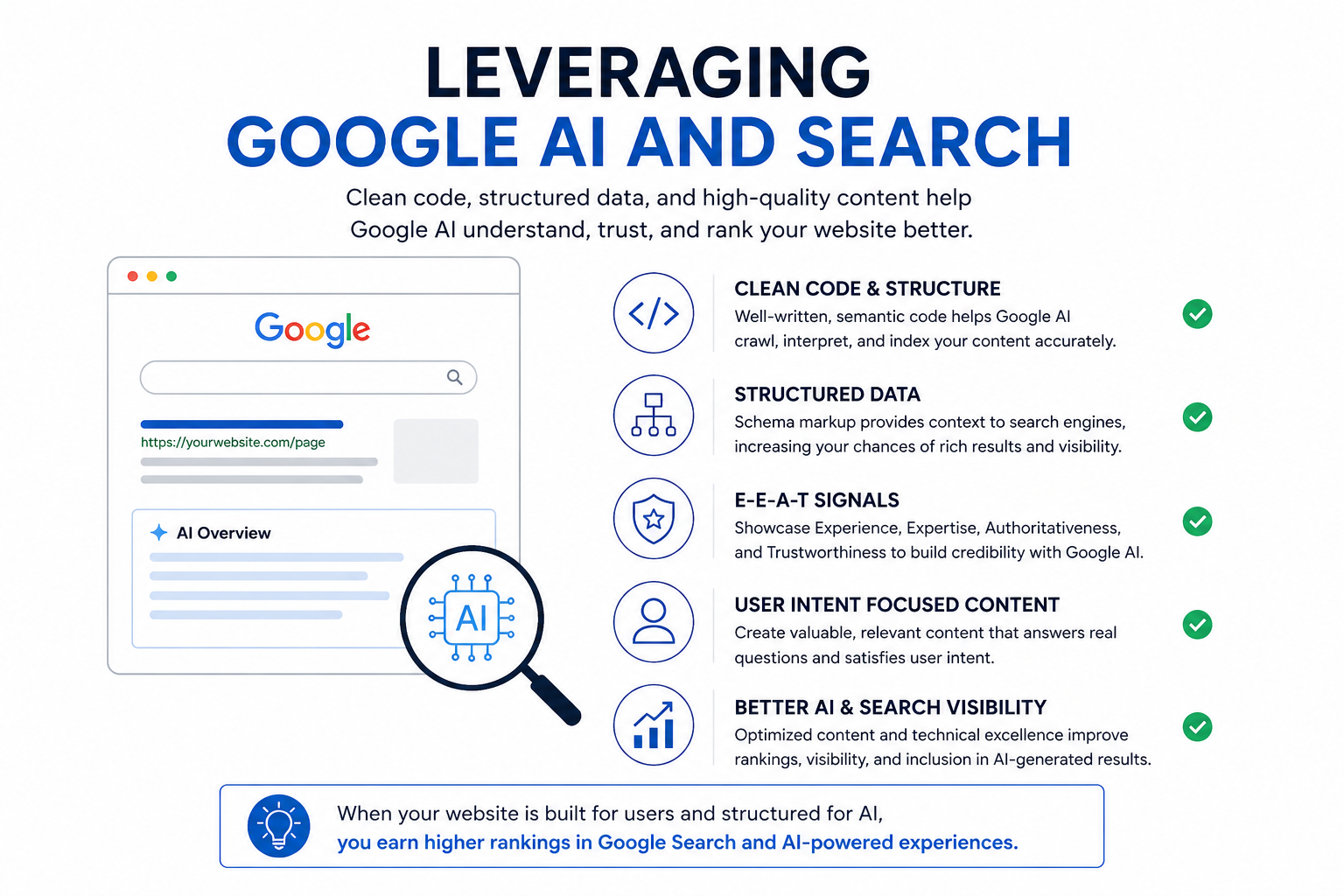
To align with Google’s expectations, your website should demonstrate strong E-E-A-T signals:
- Experience: Real expertise in your field
- Expertise: Accurate and helpful content
- Authoritativeness: Trustworthy and consistent information
- Trustworthiness: Secure, reliable website structure
Content should answer real user questions, not just target keywords.
Common Challenges and How to Overcome Them
Migrating from Framer to WordPress is not always straightforward.
One common challenge is maintaining design accuracy. Small spacing or alignment differences can affect the final look. This is where attention to detail and manual coding make a difference.
Another challenge is performance. Poorly optimized builds can slow down your site. Using clean code and avoiding unnecessary plugins helps solve this.
Finally, managing dynamic content can be complex without proper planning. Defining your content structure early prevents issues later.
XHTMLTEAM’s Expertise in Framer to WordPress
XHTMLTEAM specializes in high-quality Framer to WordPress conversion using a manual coding approach.

Their process focuses on:
- Clean, semantic HTML and CSS
- SEO-friendly architecture
- Pixel-perfect design implementation
- Fast and lightweight performance
Unlike automated solutions, their method ensures your website is built for long-term success.
This is especially important if your goal is to rank on Google and appear in AI-driven search results.
Conclusion
Migrating from Framer to WordPress is more than just a design transfer. It’s a strategic move that improves SEO, scalability, and overall website performance.
While no-code tools may seem convenient, they often fall short in terms of code quality and optimization. A clean, manually coded approach delivers better results—both for users and search engines.
If you want a website that is fast, scalable, and built to rank, investing in expert development is the right decision.
XHTMLTEAM provides exactly that—turning Framer designs into powerful WordPress websites with clean code and strong SEO foundations.
Ready to Convert Framer to WordPress?
If you’re serious about performance, SEO, and long-term growth, it’s time to move beyond basic solutions.
Let XHTMLTEAM help you transform your Framer design into a high-performing WordPress website built for Google Search and AI visibility.
Start your Framer to WordPress conversion today. 🚀